AI speaks on your behalf.

Let Voice Agents
Handle Your
Real Calls.

Your AI speaks for you—on your own phone, across any calling app you already use.

How it works

Your phone + ESP32 hardware + a desktop browser.
Keep your number and SIM. No phone app to install.
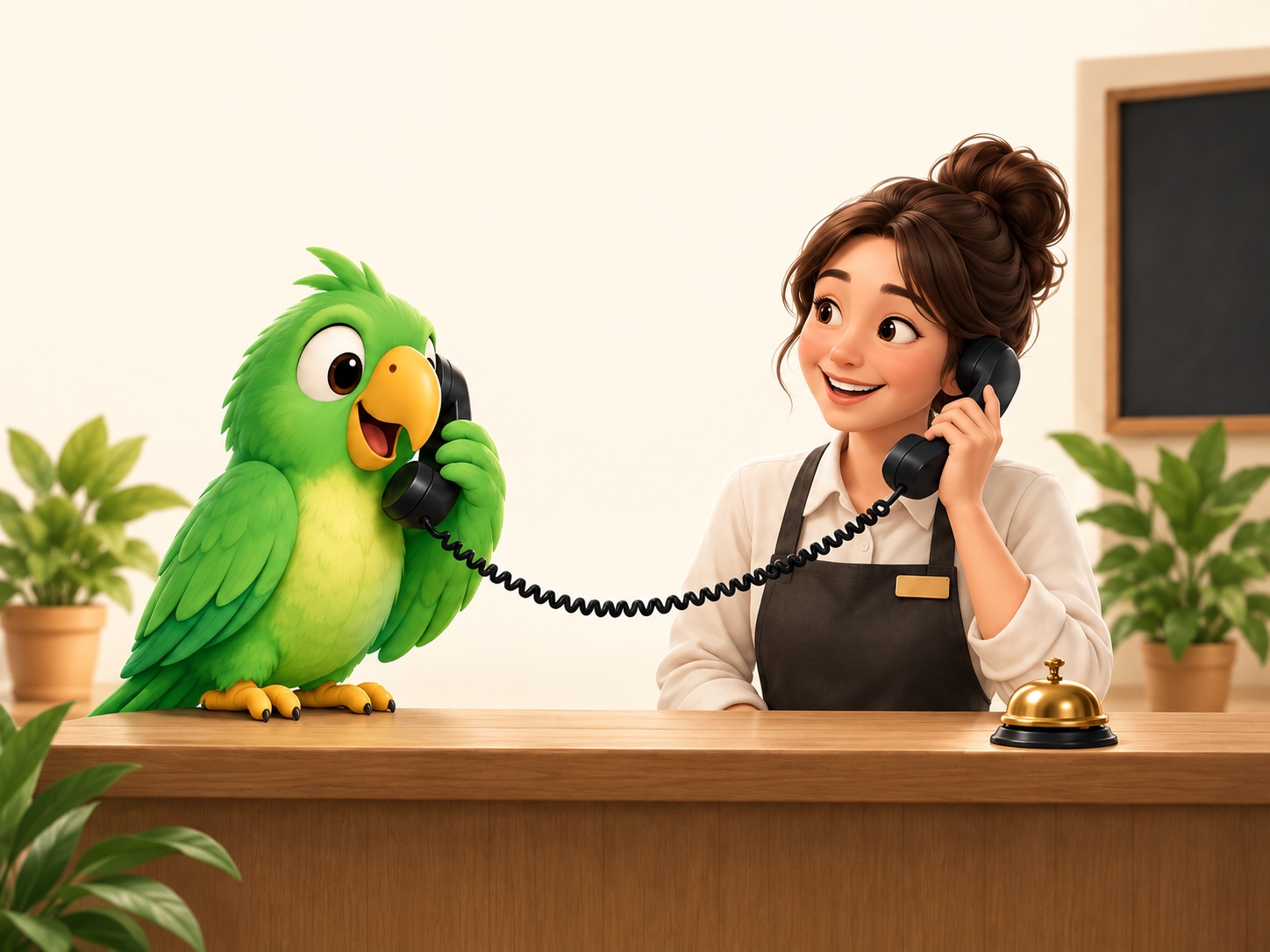
Parrot AI calls a real restaurant receptionist on your behalf.
YOUR REQUESTA table for two at 7.
Ask if dogs are welcome.
Your Voice AgentA real person
Table booked.

7 PM · Two people · Dogs welcome

Your apps. Your number.
AI on the line.

iPhoneAndroidWindowsLinuxmacOS
  • WeChat
  • WhatsApp
  • FaceTime
  • Messenger
  • Phone calls
  • Telegram
  • Teams
  • Meet
  • Zoom
  • Discord

Your AI. Your calling apps.

Your phone. Your computer. Any calling app.

OpenAI Realtime Gemini Live Ultravox 豆包 Doubao Realtime Grok Voice Agent Qwen Voice Agent Custom endpoint (OpenAI-compatible) Human agent (a person in a browser) Phone WhatsApp Messenger Google Meet Telegram Microsoft Teams Other calling apps•••

Make calls. Take calls.

Your agent makes the call.

Navigate menus, wait on hold, and bring back the answer.

Explore outbound calls ↗

Your agent answers for you.

Answer questions, take a message, and keep the transcript.

Explore inbound calls ↗

Your AI. Connected by Bluetooth.

Your phone sees a Bluetooth headset. Your AI gets a way to speak and listen. Therefore it works on all apps.

  1. Voice agentSpeaks and listens
  2. Bluetooth bridgeParrotBridge + ESP32
  3. Your phoneYour number & apps

Keep the Bridge tab open and your computer awake.

Your Voice Agent takes it from here.

Give it the goal. Your agent talks to the person on the other end—through your own number and apps.

Follow the conversationSee what both sides say as the call unfolds.

Guide it quietlyAdd instructions without interrupting the call.

Get the outcomeKeep the transcript and confirmed details together.

Live
Device
Maya's phone
Voice Agent
OpenAI Realtime
Caller
Cedar Dental
Duration
00:54
Credits
0.8
End call
Live conversation Preview call_8f2a
Outbound call connected · Phone · +1 415 ••• 0151
Keypad2● sent
appointments menu
00:08
OpenAI Realtime
Hi, I'm calling on behalf of Maya Chen to move her cleaning to Thursday afternoon.
00:17
Cedar Dental
We have Thursday at 3:30 PM available. Would that work?
00:31
OpenAI Realtime
Yes, please confirm it. Thank you.
00:38
Cedar Dental
All set — Maya is booked for Thursday at 3:30 PM.
00:46
Toolreport_to_admin()● ok
status: confirmed · time: Thu 3:30 PM
→ result saved to call history
00:49
Objective complete · appointment rescheduled00:51
ControlVoice Agent
Audio connectedListening
Steer the call
Silent instruction to the Voice Agent…
Acts after this turnSend
Connection
ParrotBridgeonline
WebSocket48 ms
BluetoothMaya's iPhone
Phone lineconnected
Voice Agent
Appointment rescheduler OpenAI Realtime · marin
Goal

Move Maya's dental cleaning to Thursday afternoon and confirm the new time.

✓ objective set

Setup in 5 minutes

Connect once. Keep your number and apps.
Your phone
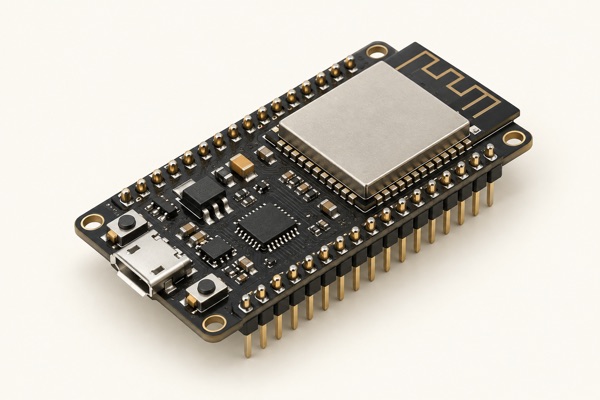
Illustration of a classic ESP32 development board
Classic ESP32
Desktop Chrome
STEP 01 · FLASH

Name & flash your ESP32

Plug a classic ESP32 (WROOM-32) into your laptop. Choose a device name, then click Flash. That name is saved to the board as its Bluetooth name.

WROOM-32 · ~30s in Chrome
Where do I get the board?
STEP 02 · CONNECT

Connect over Web Serial

Click Connect a board and pick the port in Chrome's Web Serial prompt. The tab becomes your bridge host—keep it open so phone call audio can flow through it.

one click · Web Serial
Open ParrotBridge
STEP 03 · PAIR

Pair by Bluetooth name

Open Phone Settings → Bluetooth and tap the same device name you chose in Step 1. It appears as a headset and pairs once.

device name = Bluetooth name
How pairing works
STEP 04 · DELEGATE

Voice Agent makes the call

Choose an assistant and call controls in the ParrotVoice Console. For external Voice Agents, add the MCP endpoint to your client with a key bound to this device.

device-bound key · revocable
Open Console MCP setup guide

Buy the right board

The one rule

Get a classic ESP32 (WROOM-32) with a CP2102 or FTDI bridge chip. Bluetooth HFP only exists on classic ESP32; S3 and C3 boards are BLE-only.

Every USB bridge chip you'll meet
ChipVendorMac driverVerdict
CP2102 / NSilicon Labsbuilt-inBuy this
FT232RFTDIbuilt-inGreat
CH340 / CWCHneeds driverSample
CH9102WCHnew macOSSample
PL2303ProlificflakyNever
What to actually buy
Recommended board

Espressif ESP32-DevKitC-VIE

CP2102 guaranteed · driverless Mac & Windows · ASIN B087TF2L27

Amazon ↗
Compatibility option

AITRIP ESP32 (CH340C)

Compatibility-testing sample · ASIN B0CP592LY9

Amazon ↗
Don't buy
×
Any silkscreen marked -S3 / -C3 / -C6 / -S2

These boards do not support Bluetooth Classic HFP, so they cannot act as a Bluetooth phone headset.

×
A board using PL2303

These adapters are unreliable on current macOS and Windows.

!
The listing never names its USB bridge chip

That usually means the seller changes chips by batch. Only the official DevKitC guarantees CP2102.

Pair your phone by Bluetooth name

Pair once on your phone. The ESP32 appears as an ordinary Bluetooth headset, using the exact name you chose while flashing it.

9:41Bluetooth ON

My Devices

AirPodsNot connected
Maya's ParrotTap to pair
Car AudioNot connected
  1. 1Run ParrotBridgeKeep the Bridge tab open so the board advertises its Bluetooth name.
  2. 2Open Phone Settings → BluetoothLook for the exact device name you saved in Step 1.
  3. 3Tap the name and confirmYour phone remembers it like a headset; no phone app or SIM swap is required.