AI Providers: Your Own Key

AI providers plug into the highlighted hop: Parrot Cloud connects each call to the vendor that voices it.
Every call is voiced by an AI vendor — OpenAI, Ultravox, or Gemini. Out of the box your assistants run on Parrot's shared keys with those vendors, billed through your credits. The AI providers page is where you see those lines, what each is good at — and where you plug in your own vendor key so calls run on your account instead.
The AI providers page
Open AI providers in the console. Your own keys are pinned first, then the shared-key lines this server carries:
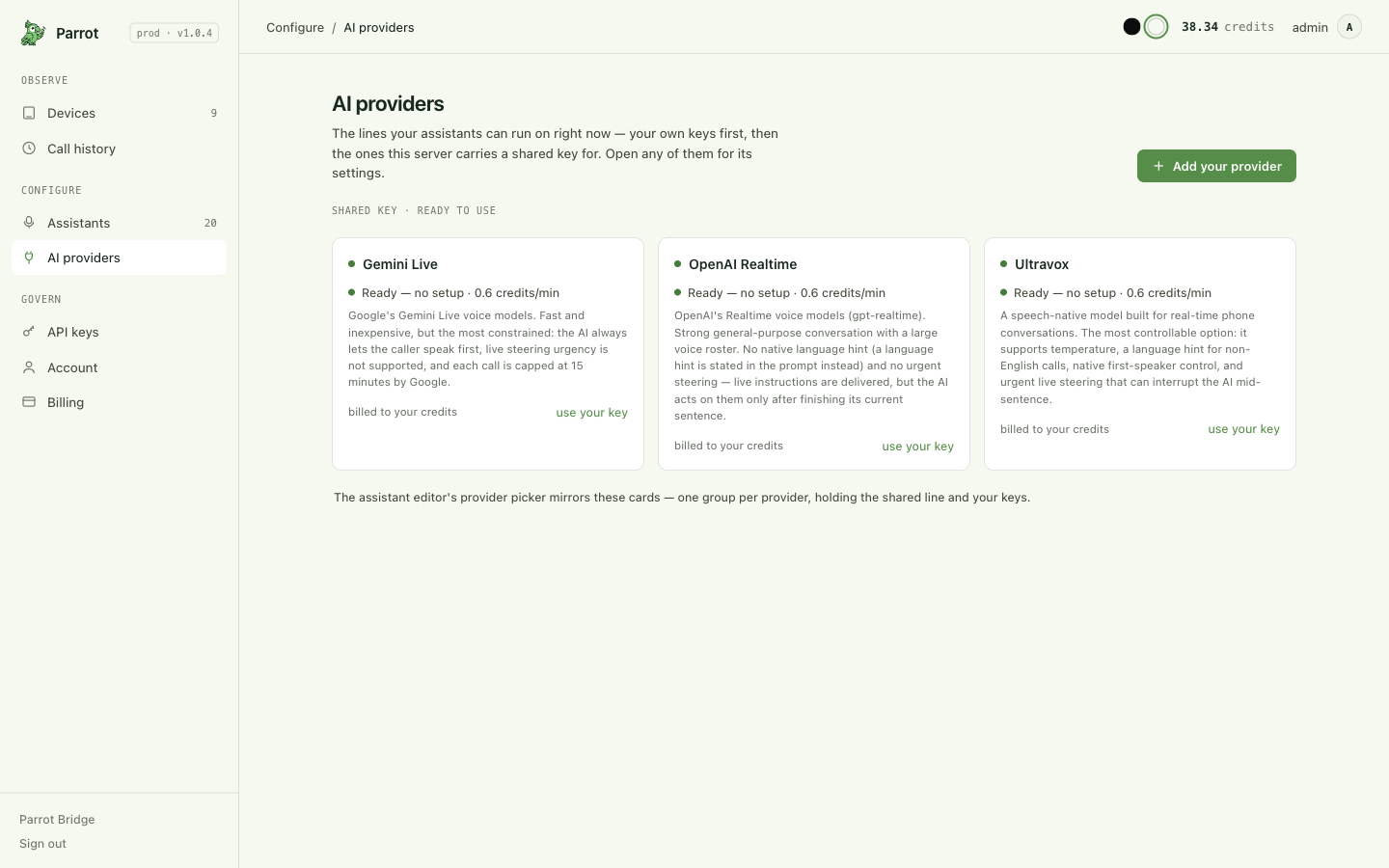
Each shared line is ready to use with no setup and shows its price per minute and an honest description of what that vendor can and can't do on a phone call — they are genuinely different:
- Ultravox — a speech-native model built for real-time phone calls; the most controllable (temperature, language hint, first-speaker control, and urgent steering that can interrupt the AI mid-sentence).
- OpenAI Realtime — strong general-purpose conversation with a large voice roster; live steering is delivered but acted on only after the current sentence.
- Gemini Live — fast and inexpensive, but the most constrained (the caller always speaks first, and each call is capped at 15 minutes by Google).
The assistant editor's provider picker mirrors these cards — one group per vendor, holding the shared line and your keys — so what you see here is exactly what you can pick there.
Adding your own key
Click Add your provider (or use your key on a vendor's card), paste the API key, and save. Parrot validates the key against the vendor with a real request before keeping it — if the vendor rejects it, you see the vendor's own error and nothing is saved, so you find out now rather than on your next call.
Once added:
- Your key is stored encrypted and never shown again in full — only its last few characters, for recognition.
- Point any assistant at it in the editor's provider picker. From then on that assistant's calls pay only the platform fee — the AI usage is billed by your vendor directly (Billing). Every call's ledger row shows whether it ran on your key or the shared one, so billing is never ambiguous.
- The key's page shows its last-30-days usage and which assistants run on it, and offers Rotate key (paste the replacement; validated the same way) and Check now (re-validate on demand — the card warns if a key has gone invalid, and the editor won't let an assistant save onto a broken key).
- Delete is refused while assistants still reference the key — the console names them so you can repoint before removing it.
Where this fits
Providers set whose account voices the call; the assistant decides everything else. Back to Customizing your assistant, or see what a call costs in Billing, credits & API keys.